 Size Run
Free size curve template for apparel buyers
Turn last season's units by size into a buy plan. Free.
How to track wedding vendor deposits and balances in a spreadsheet: log contracts, mark payments, see what is due next and compare budget with contracts.
A wedding budget tells you what you plan to spend. It does not tell you which vendor wants a deposit next month or whether the balance for the venue is already late. This page shows how to build a wedding vendor payment tracker in a spreadsheet: contracts, deposits, balances, a status per vendor, a budget check per category and a short worked example with invented numbers.
Most couples start with a list of categories and a total. That list answers one question: how much do we want to spend on flowers, music or the venue. Once contracts are signed, a second question appears: what do we owe, and by when. Vendors usually ask for a deposit at booking and the balance before the day. Those dates sit scattered across contracts and emails.
A payment tracker puts every contract and every due date in one place. A budget check next to it shows whether the contracts you signed still fit the plan.
One row per vendor keeps the sheet easy to read and to filter.
Status turns dates into a signal you can scan in seconds. Use a report date cell. Type a fixed date to look at a past or future moment, or enter =TODAY() to see the current day.
The next due date follows the same logic. While the deposit is unpaid, the next due date is the deposit date. After that, it is the balance date.
Next to the vendor list, keep one table with a planned budget per category. A formula adds up the contract totals of all vendors in that category. Two results matter:
This check works best early, before the last contracts are signed.
Collect the main figures on one sheet: total budget, total contracted, paid so far, still to pay, the amount overdue and the amount due soon. If you enter a wedding date, add days to the wedding. A list of the next five payments sorted by due date answers the question most couples ask every week: what is coming up. A chart by category shows where the money sits.
Each result comes from a short formula.
These figures are made up for illustration. A caterer has a contract total of 4,000. The deposit of 1,000 is due on 1 March and the balance of 3,000 is due on 1 June. The planned budget for catering is 5,000.
Enter the balance paid date and the status changes to Paid, still to pay drops to zero and the next due date moves on to the next vendor.
Keep expectations clear. A money tracker does not replace a guest list, a seating plan or a timeline. Costs without a vendor contract, such as a small gift, need their own row. Several instalments with separate due dates fit awkwardly into a deposit and balance layout, so record the later ones in the extra paid column. Multiple currencies, VAT and taxes of any kind sit outside a simple tracker like this.
If you would rather not build the formulas yourself, the Size Run Studio Wedding Budget and Vendor Payment Tracker follows this structure. It is one Excel workbook with five tabs: Instructions, Settings, Budget, Vendors and Dashboard. Settings hold the total budget, an optional wedding date, the report date, the due-soon window and 12 editable categories. The Vendors tab holds up to 50 vendors. The workbook includes made-up example data to delete before real use, and a one-page Quick Start PDF. It is built for Excel, uses no macros and opens in LibreOffice. It has not been tested in Google Sheets.
*Planning aid only. This page is general information, not financial, tax, accounting, legal or contract advice. Check your own contracts and figures.*
Built for Excel (.xlsx), no macros. Not tested in Google Sheets.
See the Wedding Budget and Vendor Payment Tracker Wedding Budget Tracker on Etsy
Give every vendor one row with the contract total, the deposit amount and due date, and the balance due date. Enter a paid date when a payment goes out. A status column then compares each due date with a report date and shows Paid, Open, Due soon or Overdue.
A budget is your plan per category. A payment schedule lists what each contract asks you to pay and on which dates. Putting both in one workbook shows whether your contracts fit your plan and which payment comes next.
Yes. The tracker described here is built for Excel, uses no macros and also opens in LibreOffice. It has not been tested in Google Sheets.
No. This page describes a planning tool and a method for record keeping. Check your own contracts and figures, and ask a qualified adviser about your own situation.
Turn last season's units by size into a buy plan. Free.
Fees, net profit, margin and ROI per platform and month.
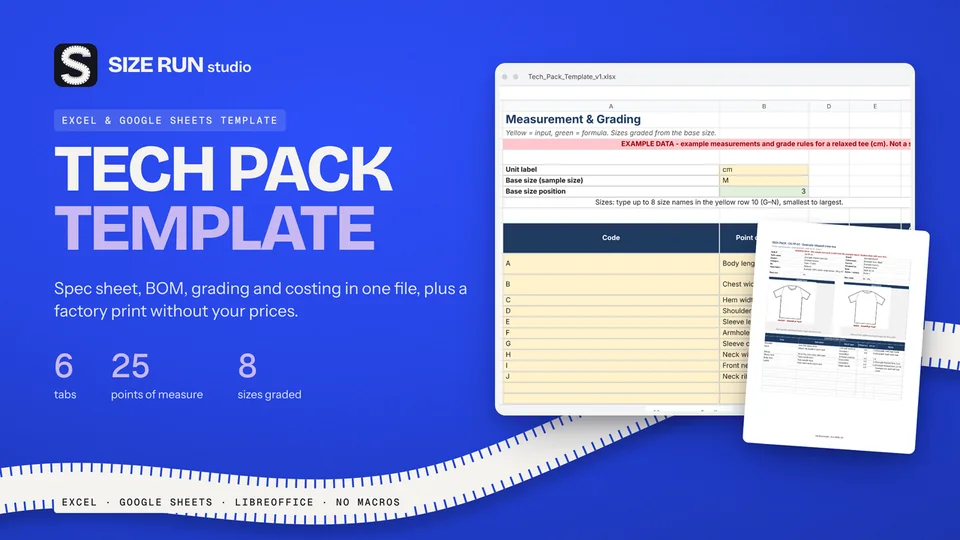
Spec sheet, BOM, grading and costing in one file.
A worked example, step by step, from net units to units per size.
What you keep per resale after fees and shipping.
The open-to-buy formula with a worked example, at retail and at cost.
Sell-through rate and weeks of cover, with a worked example.
Why a 50% markup is not a 50% margin, with a worked example.
What a production tracker needs, how to flag late samples and orders, with a worked example.
Which columns a wholesale price list needs and how to price from landed cost, with a worked example.
Fee, net profit, margin and ROI per sale, with a worked example and editable fee rates.
Line sheet, tech pack and production tracker: what each covers, plus a worked margin example.
How to track bookings, host fee, payout, occupancy and profit per property, with a worked example.
Track Etsy fees, net profit and margin per sale, with a worked example and editable fee rates.
How to track invoices, overdue payments, income and profit per hour, with a worked example.
How to budget when every month pays differently: baseline, buffer and set-aside, with a worked example.
Invoice tracker and irregular-income budget planner in one bundle, with worked examples.